
My role
Senior product designer @ Tabby
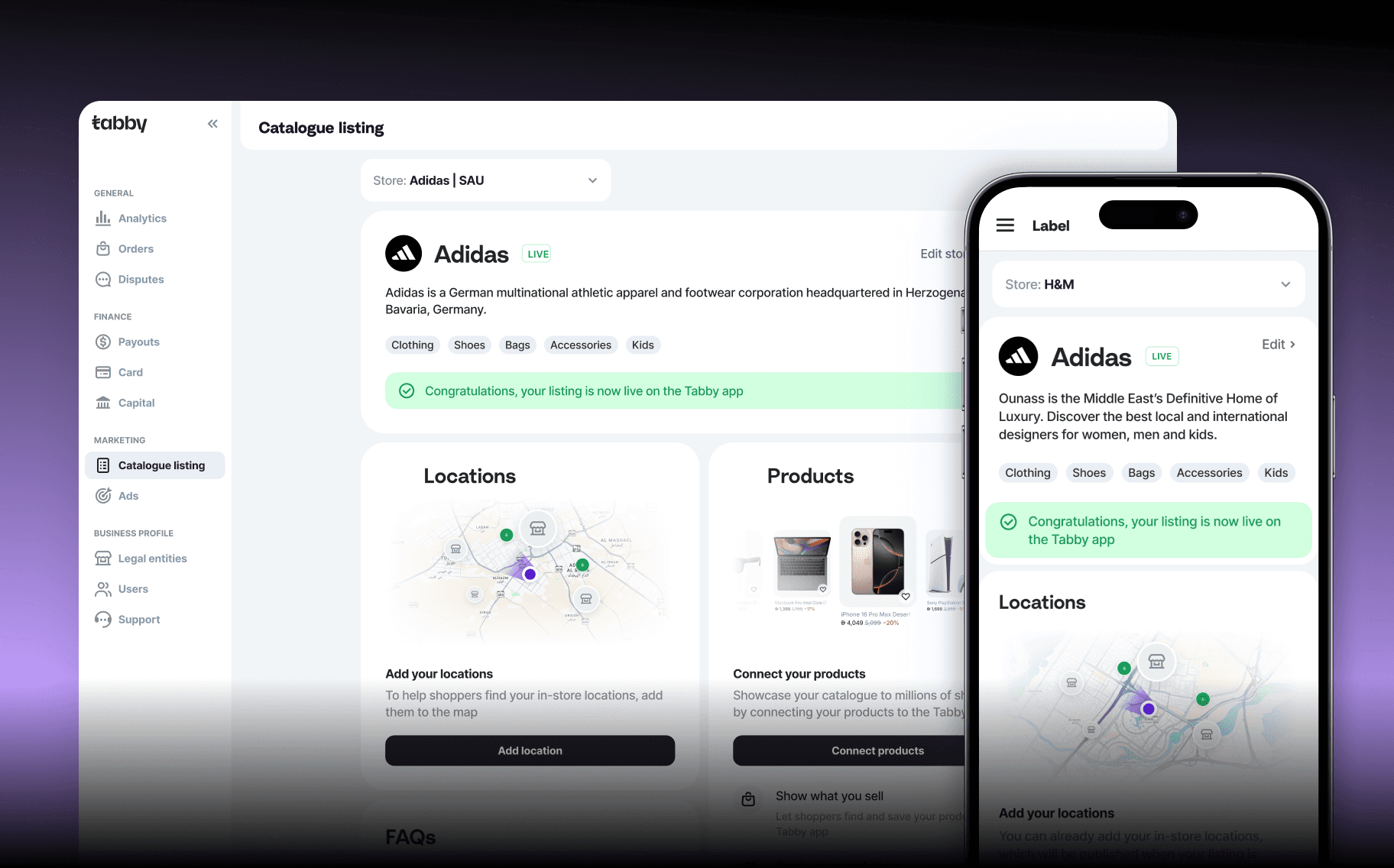
I enhanced the store listing page on Tabby Business by highlighting enterprise USPs and bridging communication gaps between moderators and sellers.
About Tabby Business
Tabby is an independent FinTech unicorn that offers BNPL and other financial services in the Middle East and North Africa region. Annually, Tabby generates over $10 billion in transaction volume for its partner brands.
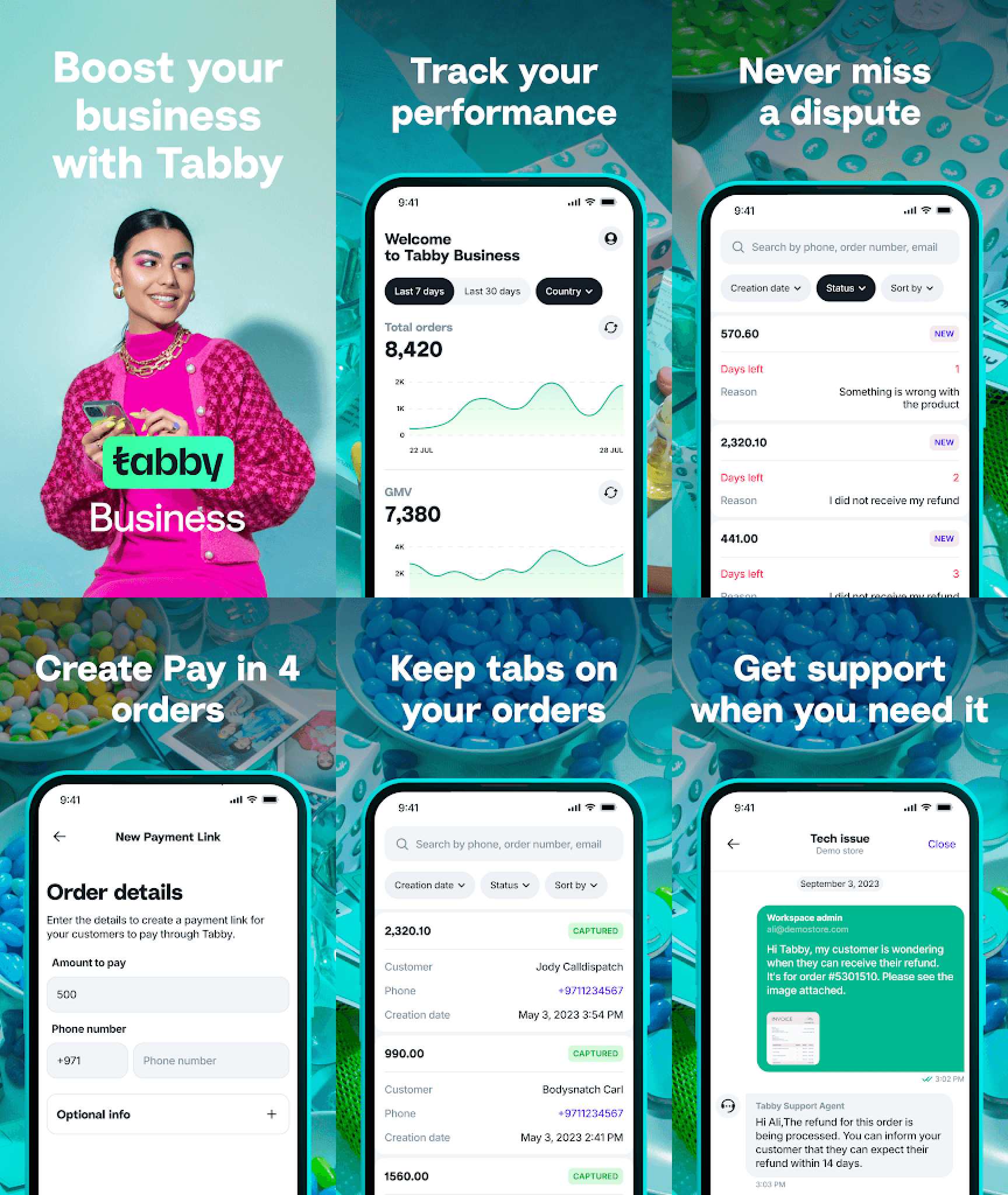
Tabby Business is where sellers across the MENA region are able to list their store, track performance, manage orders and refunds, and get the support they need.
About the Tabby Marketing page
The Marketing page on Tabby Business is where sellers are able to list their store and sync their product catalogue with Tabby via 3rd party e-commerce platforms.
Store listing and product submissions are moderated by Tabby’s merchandising team who make sure all public stores and items on Tabby are compliant with Tabby’s listing policy.

The research
7The research team ran a usability test to identify UX issues when sellers are setting up a store listing, in-store locations, and product catalogue.
Interviews were run with merchants from UAE and KSA:
3 merchants who have never listed their store
2 merchants who have listed their store but never listed products
2 merchants who have listed both their store and their products


The problems identified through research
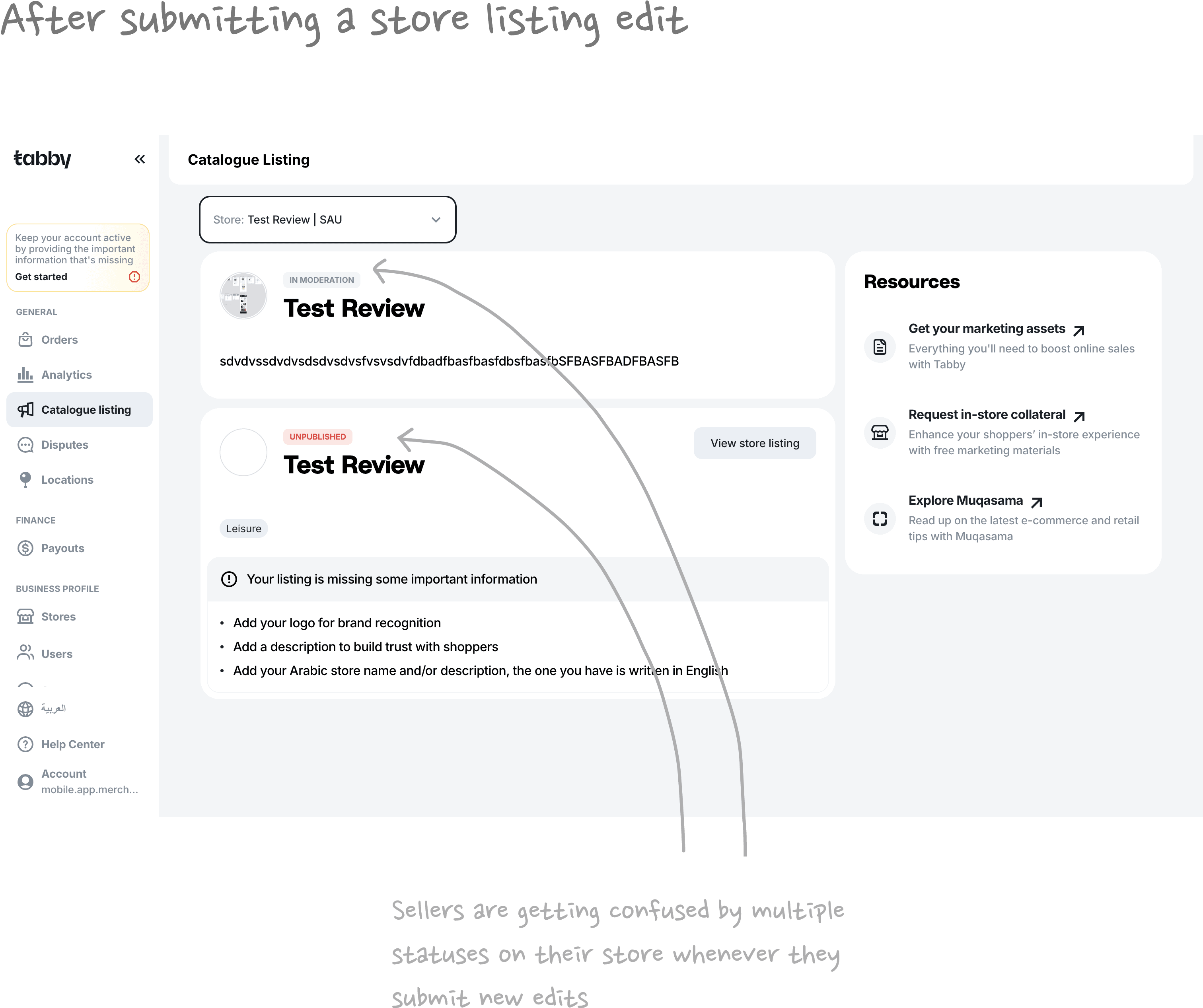
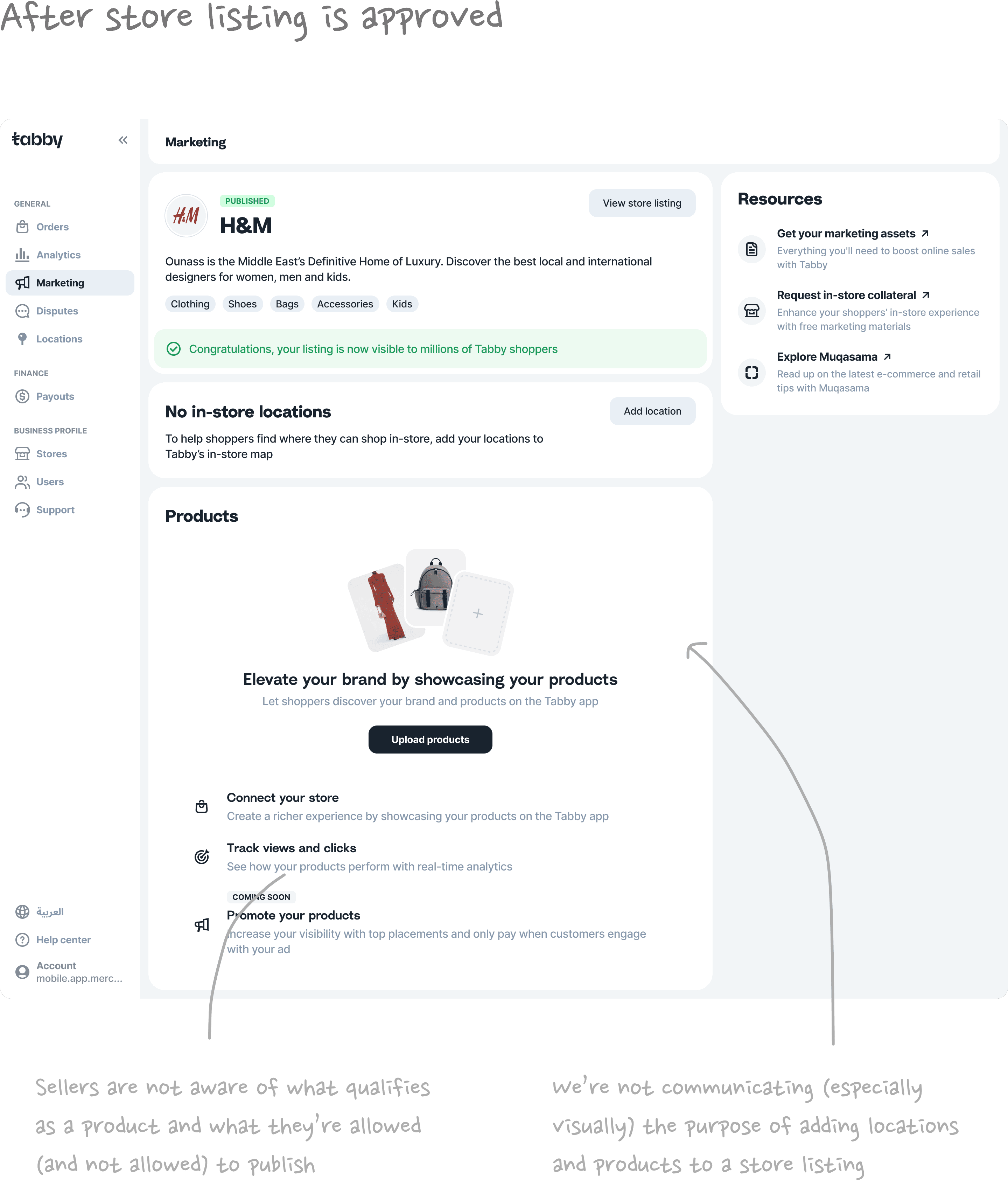
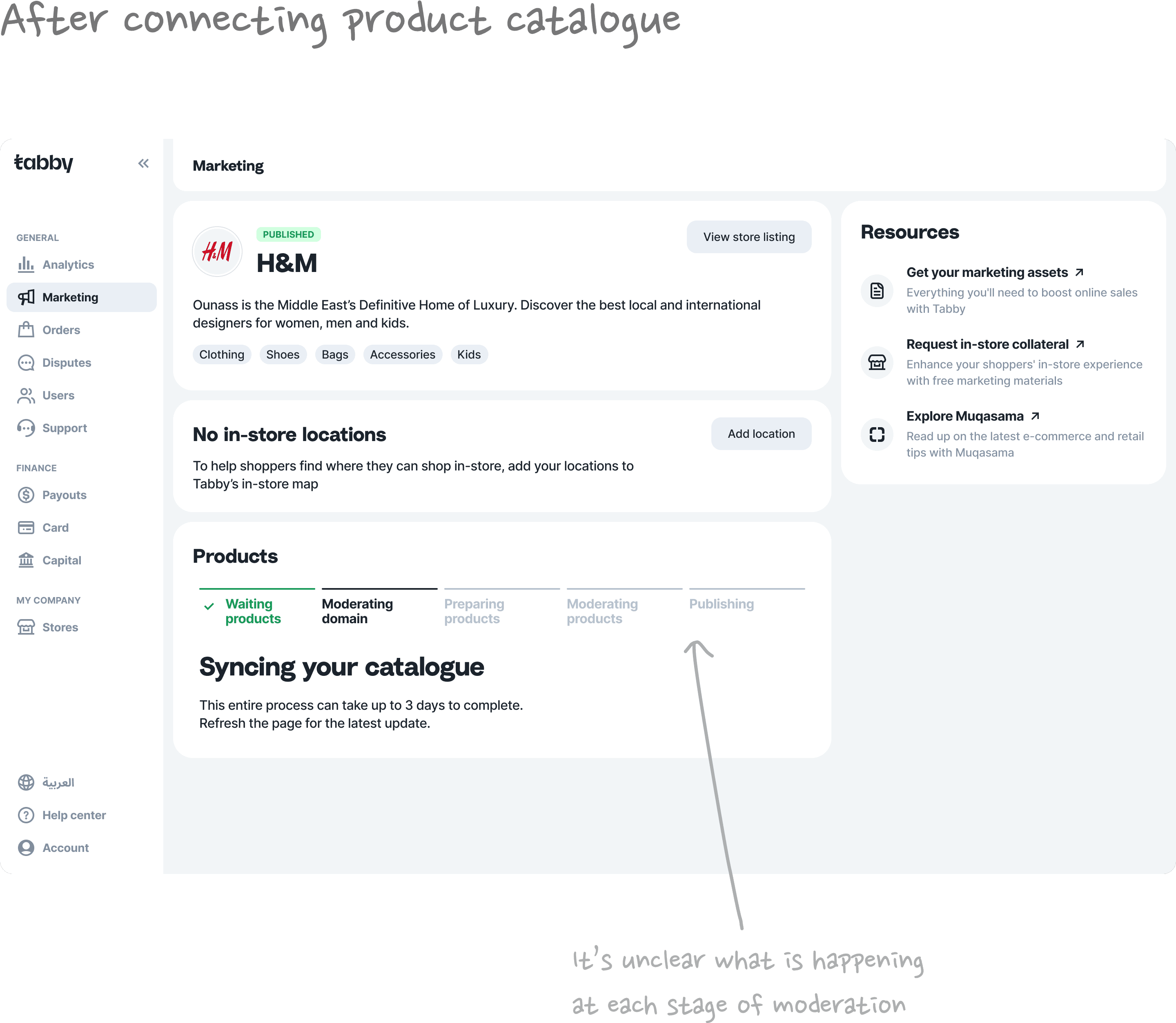
User research uncovered that there were critical gaps at various points of the user journey from store listing setup to product catalogue integration. I mapped out all problem areas on a high-level scheme so we could easily identify the parts that need fixing.
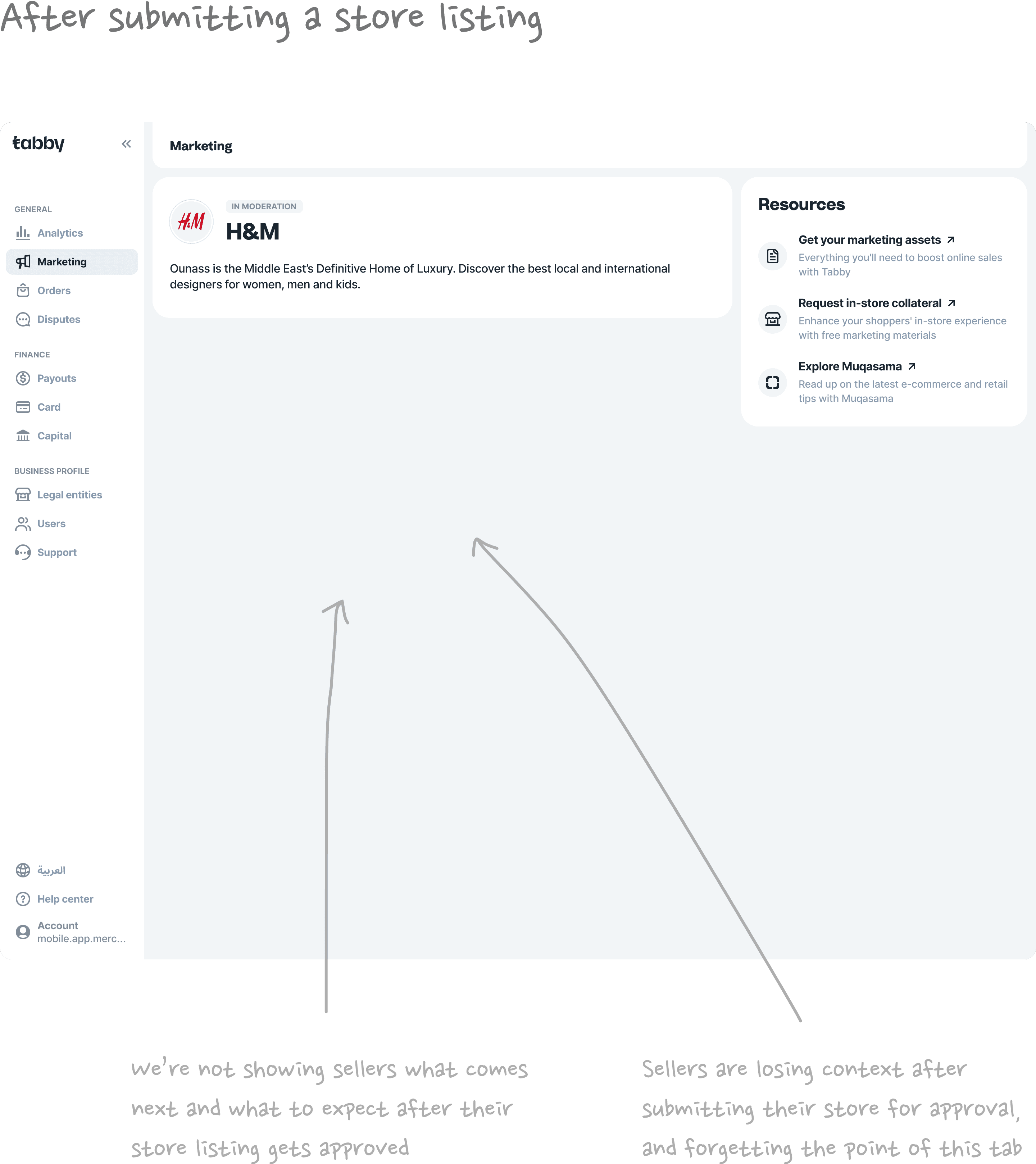
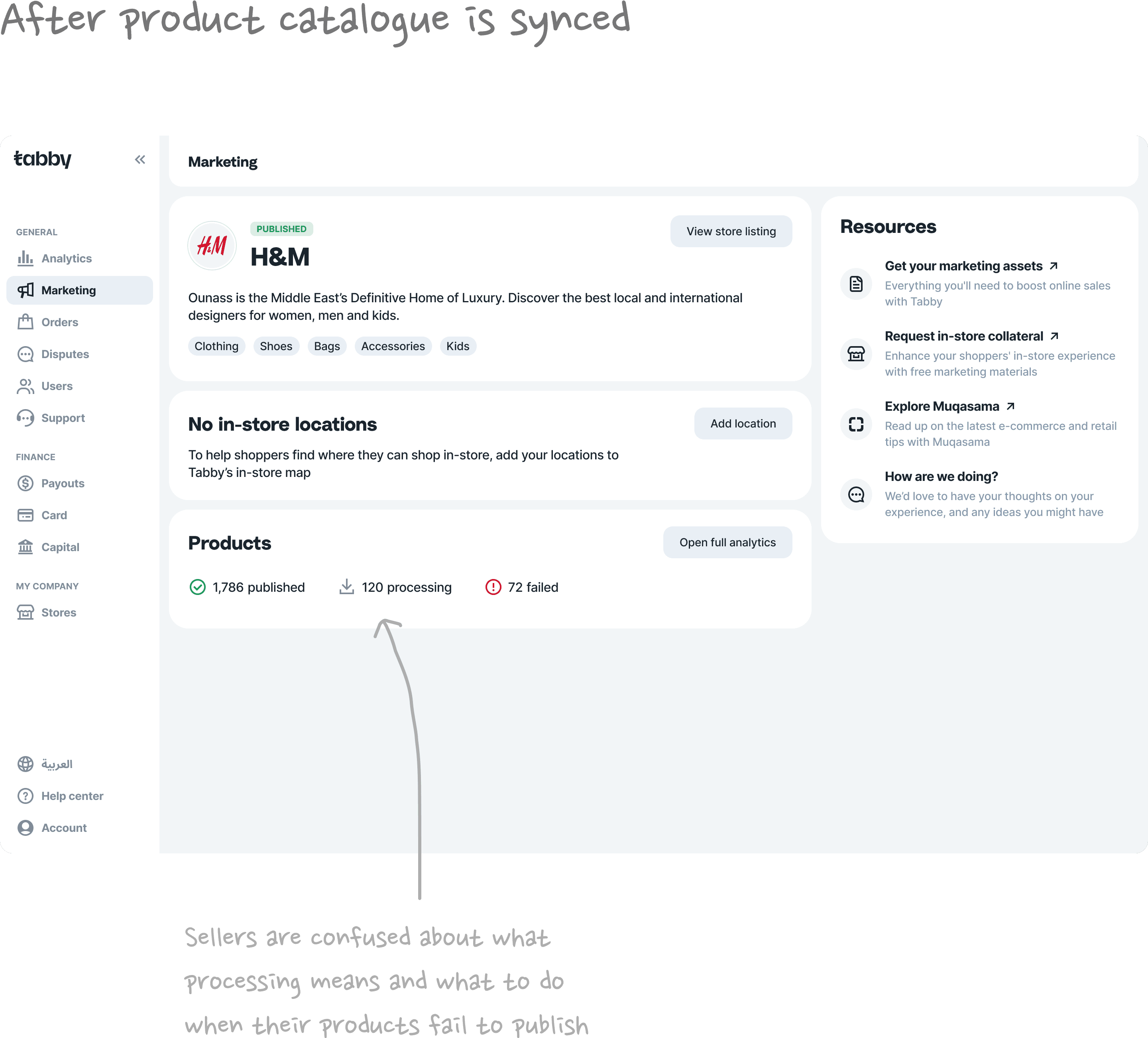
Sellers were unclear about what the entire Marketing page is for
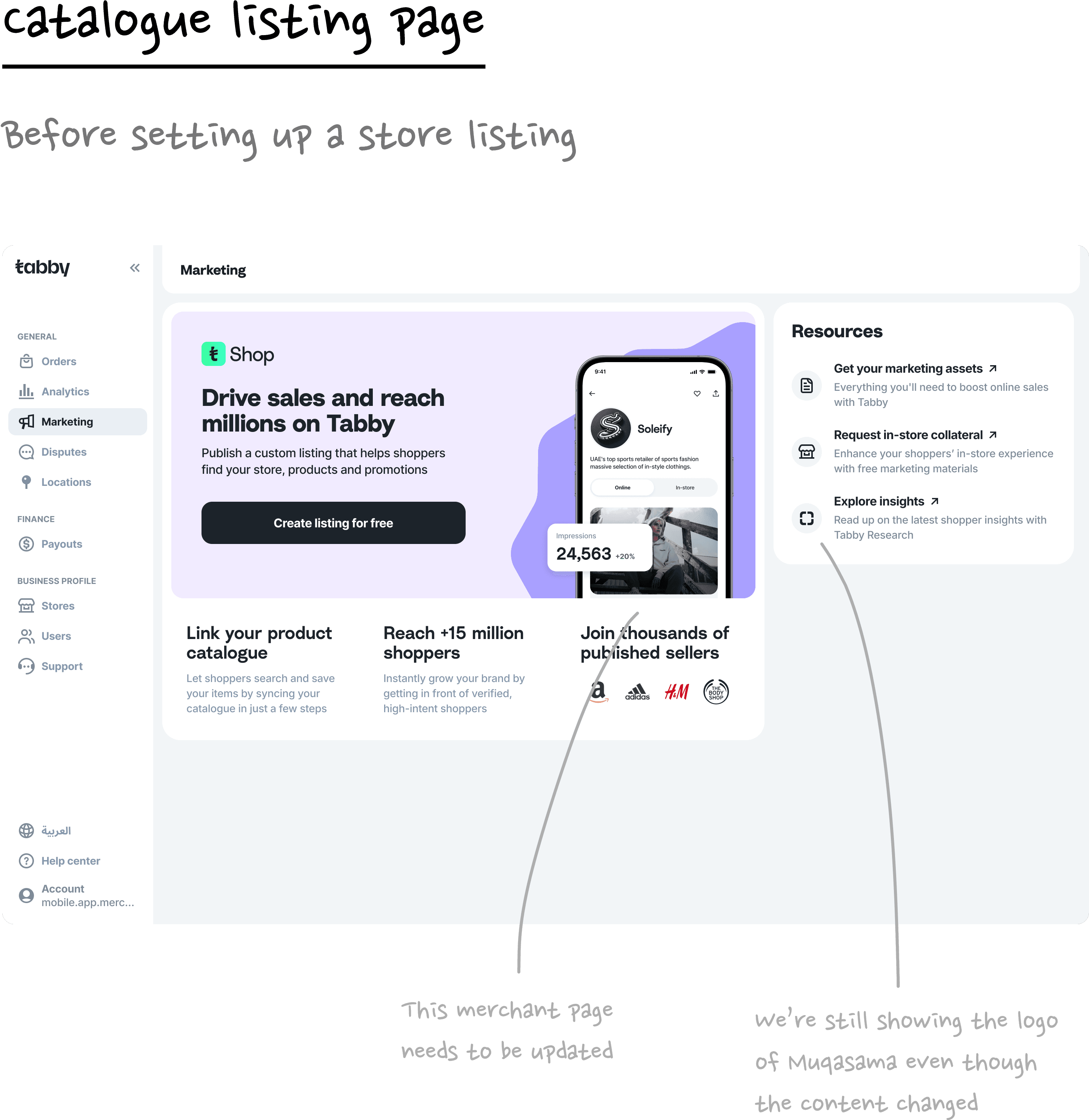
User interviews with Tabby merchants uncovered that they associate the label Marketing with paid marketing campaigns and deals.
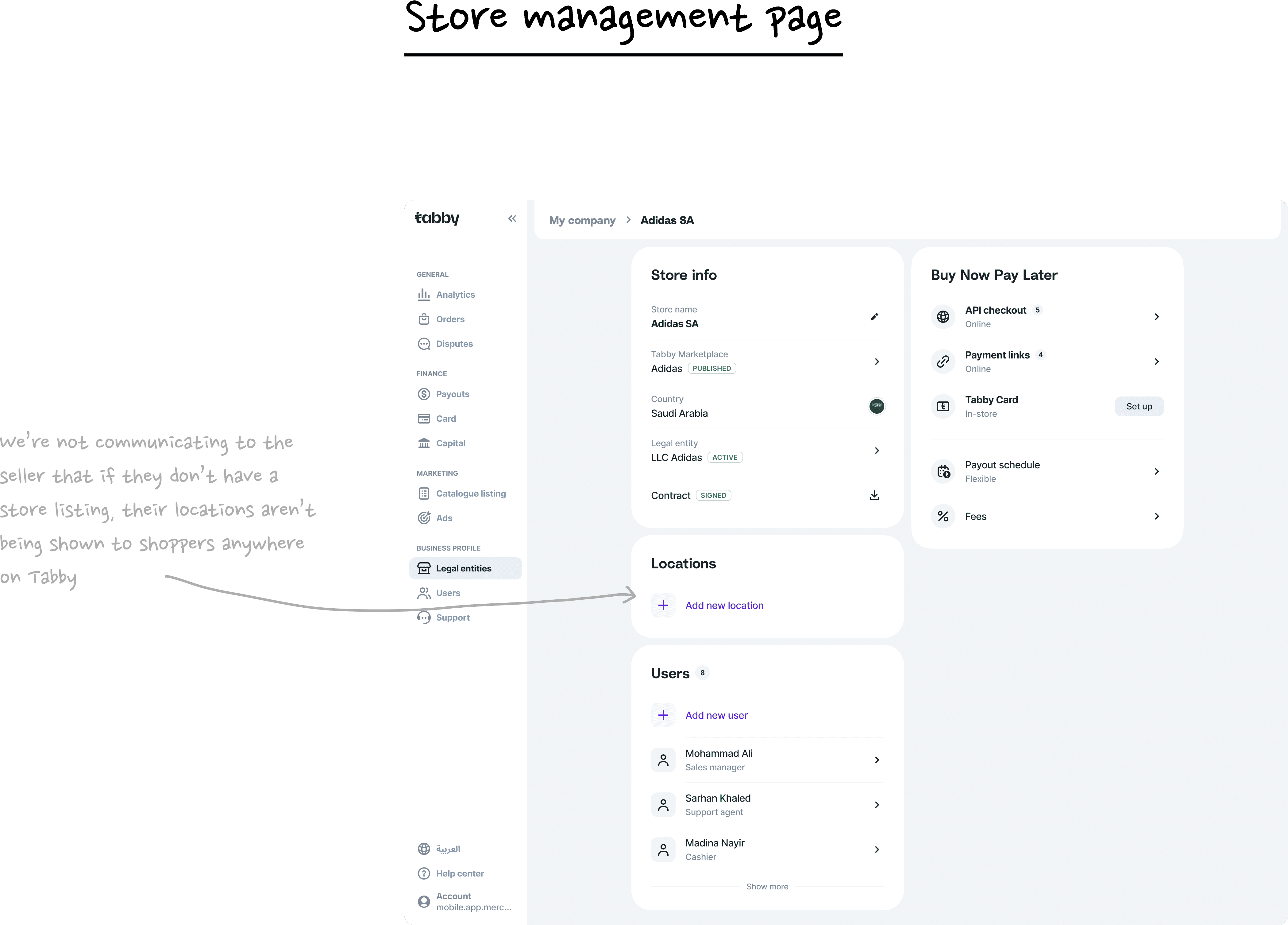
They expressed that they only knew Tabby as a payment method for their customers and didnʼt realize that they could get their store and products listed on the app.

Sellers were unable to tell if their store listing status has changed after submitting an edit
There was an existing issue where sellers were getting confused by duplicated header blocks with different statuses.
After submitting an edit on their store listing for moderation, the header block would be duplicated and show that the store is in moderation (when technically, it is the edit that is in moderation, not the store).

Sellers were unclear about what locations are for and what to do when their product catalogue is being moderated
After connecting their product catalogue, sellers expressed confusion about what goes on behind the scenes during moderation and how long to wait. They didn’t know what to anticipate and were unclear about why they should add in-store locations.
As a result, they dropped off and would forget about this page. And even if another member of their team revisited the page, they had no context on what it’s about either.

Sellers were unsure about what products are permitted or prohibited
Sellers also expressed that they were uncertain about what qualifies as a product and which products would and wouldn’t pass moderation.
Service merchants such as clinics and flight booking platforms have tried to connect their catalogue only to get their entire feed rejected due to services not being qualified as products.

A solution centered around transparency, value, and education
The team and I aligned on arriving at a solution that (1) highlights the value of each step of the store listing setup flow and (2) bridges communication gaps between Tabby moderators and sellers.
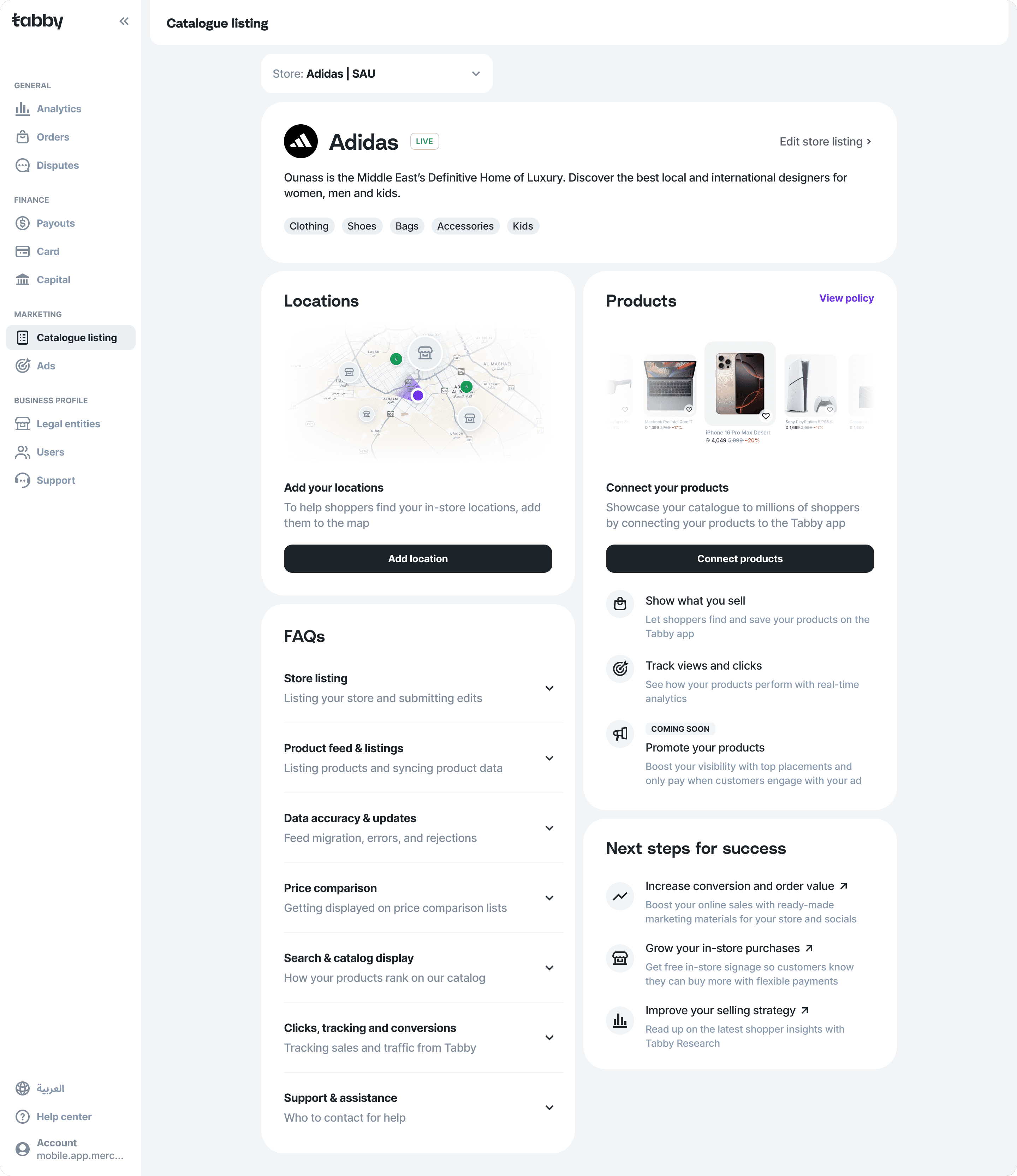
Renamed the Marketing page to “Catalogue listing”
Refreshed the page layout to give equal importance to Products and Locations
Created visuals that communicate the value of adding locations and products
Distinguished store statuses from store edit statuses
Added descriptions for each stage of store listing moderation
Added descriptions for each stage of product catalogue moderation
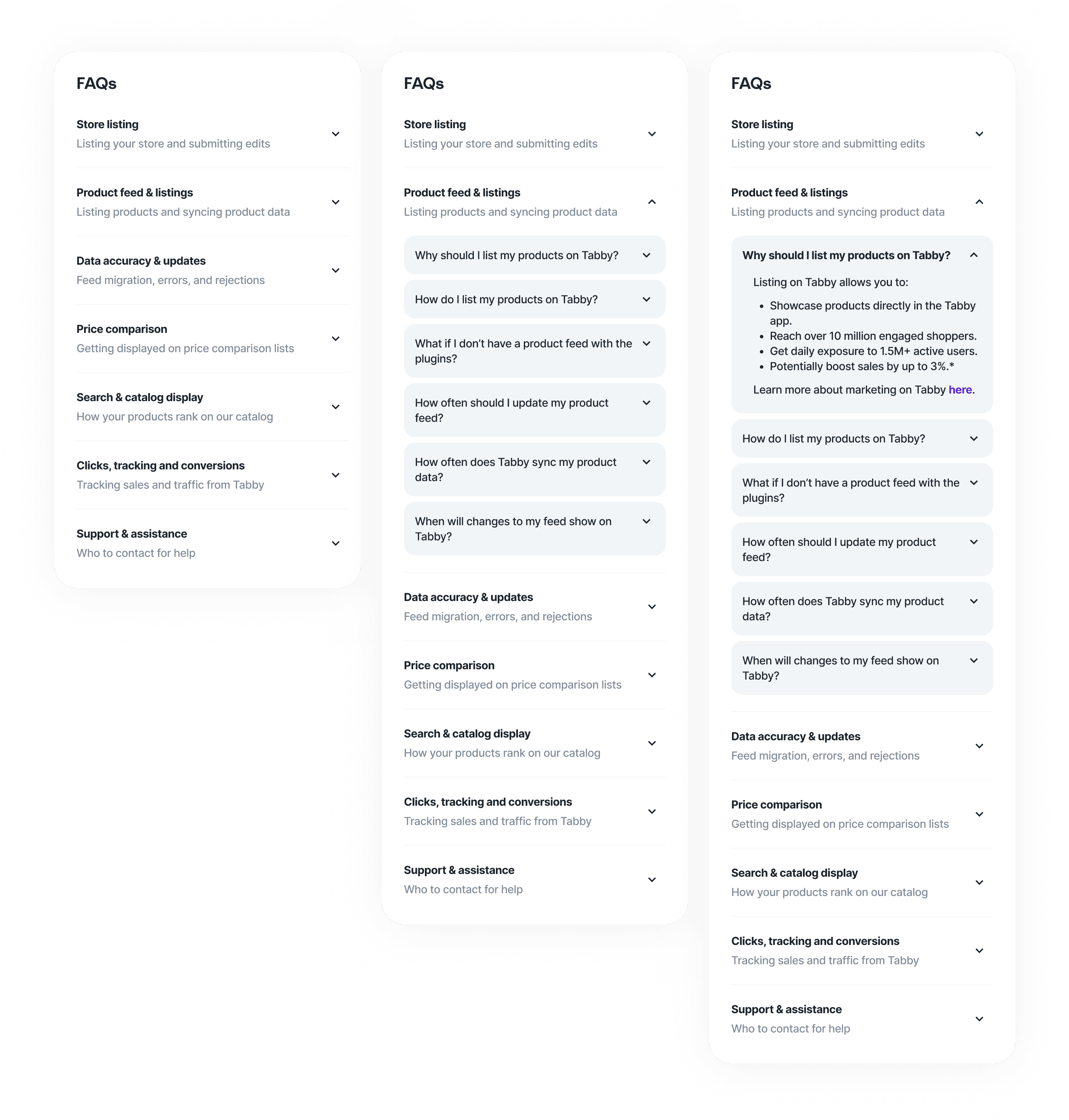
Added an FAQs section on the store listing page
Enhanced the populated Products section with data visualization
A new page name, a fresh layout, and communicative visuals
I aligned with stakeholders on renaming the Marketing page on the navigation sidebar to Catalogue listing or Store listing under a Marketing heading to test which label prompted more sellers to set up and complete their store listing.
The new bento-style layout presents Locations and Products side-by-side with equal importance. This also ensures sellers see both sections on the first fold of the page without having to scroll down.
On each of these sections, I included empty state visuals that communicated what locations would look like on the Tabby store map, and what products from synced catalogues would look like on the app.
Distinguishing store statuses from edit statuses
Store statuses had to be separated from the edit statuses simply because they can be different and exist at the same time. For example, a store listing that is live can have edits that are in moderation or declined.
I introduced badges for store listings that had only two states: Live and Not live. This way, whether store edits are approved or declined, there is a clear indication of whether the store is live or not.
I also had to introduce a logic for the content we should display on the header blocks to address the question: If the seller submits an edit of his store details , should the block show the previously approved details or should it update with the last submitted edits?


Transparent moderation descriptions and statuses in non-technical language
I created a vertical stepper that displayed all stages of product catalogue moderation with distinct descriptions for each stage. The challenge here was working with our UX writer on aligning with both engineers and moderators on what each stage meant on a technical level, and translating them into simple language that small business owners would understand.
Especially when there is an error that requires troubleshooting on the seller’s end, we needed to make sure that we were crystal clear with next steps.

An FAQs section compiled by merchandising, marketing, and research teams
I worked with the merchandising, marketing, and research teams on compiling FAQs that cover all common questions that might arise on this page.
We aligned on displaying the FAQs section on the page at all times, whether or not a seller has set up their store listing.
This effort is both to reduce the number of support tickets we receive, and to give sellers a rich source of guidelines surrounding their store and catalogue listing.
Simple visualization and performance overview for connected product feeds
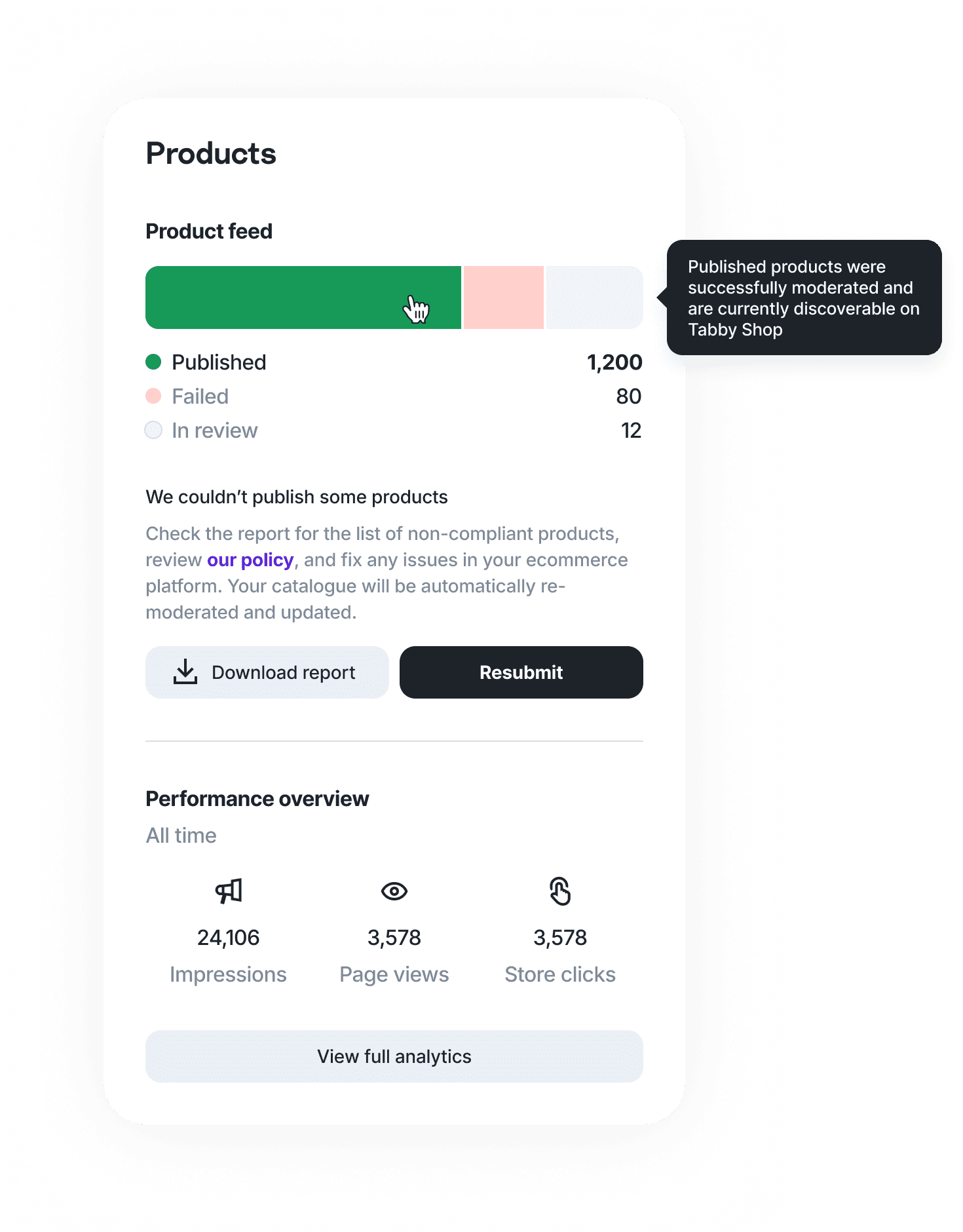
After a seller’s product catalogue has been connected and approved, I included a segmented bar to display the status distribution of their feed. This is so they are able to quickly gauge how much of their feed needs attention and how much of their feed is still being reviewed, at a single glance.
They would also be able to get a snapshot of the engagement (impressions, page views, store clicks) their products have brought in without navigating to the full analytics page.
Reflections
Working on this project showed me how important research and communication are in creating great experiences.

Conversations with a few users go a long way
The user interview findings from the research team were incredibly insightful as it revealed problem areas within the existing flow where users would feel lost or frustrated. Designing enhancements by guesswork without speaking to users is like taking a shot in the dark and risks wasting resources.
Cross-functional collaboration is everything
This project required me to work closely with the merchandising team handling moderation decisions, the marketing team handling branding and messaging, the UX writing team handling the copy, as well as the engineering team handling the technical parts of moderation. Designing in a vacuum simply would not have worked out.
© Zoe Chin 2026